Manage Your Settings
You can easily update your account information from your Settings page.
How to Access Settings
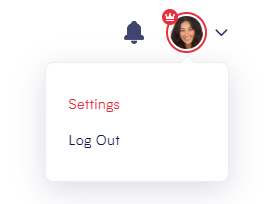
- Click your name in the top-right corner of the screen.
- Select “Settings” from the dropdown menu.
What You Can Do on the Settings Page
From your Settings, you can:
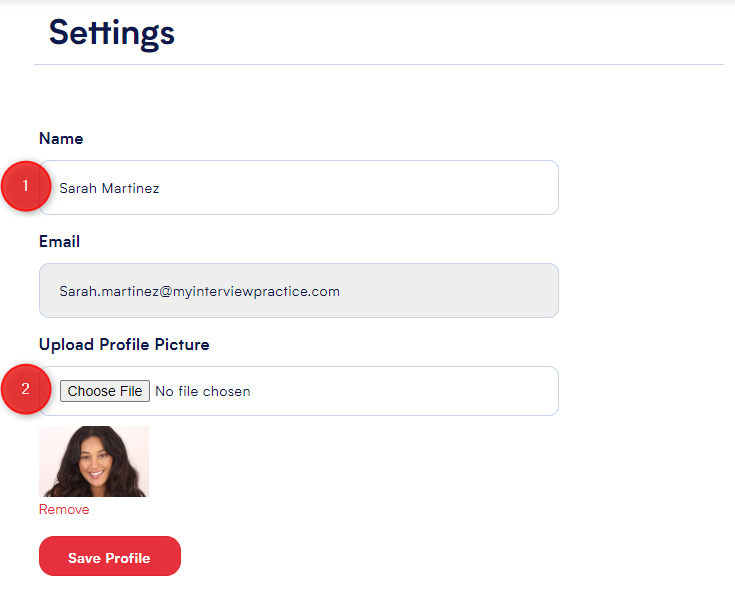
1.Edit your name – Update the name displayed on your profile.
2.Upload a profile photo – Personalize your account with a picture.
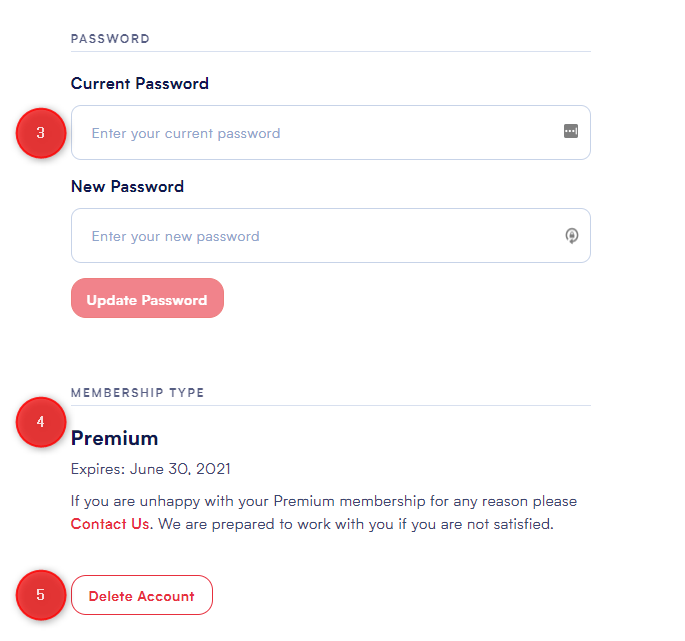
3.Change your password – Keep your account secure by updating your login credentials.
4.View membership details – See what type of membership you have (Plus or Premium) and the expiration date.
5.Delete your account – Permanently remove your account and all associated data.
Note: Account deletion is permanent and cannot be undone.
Need Help?
If you're having trouble updating your settings, reach out via our Contact Us page. We're happy to assist!